

What Is Monitor Color Calibration?
What it really does, why screens drift, and how to get color you can trust.
Buy a good monitor and it is natural to assume the color is correct the moment you switch it on. It rarely is — and even when it is, it will not stay that way for long. Color calibration is what closes that gap.
In plain terms, color calibration is the process of measuring how a display actually reproduces color and brightness, then correcting it so the image on screen matches a known, agreed-upon reference. A small sensor placed against the panel reads the light the screen emits, compares it to a target, and builds a profile that brings every value back into line. The purpose is simple: to make your screen show the right colors, not merely the ones it happens to show.
Why screens drift
No two displays are identical, and none stay still. Backlights dim and shift in tint as they age, panels vary from one unit to the next even within a single model, and temperature and brightness settings move the picture around. A factory calibration — if there was one — describes the screen on the day it was made, not the screen in front of you months later. Left alone, a display slowly tells you a slightly different version of the truth, and you have no way of knowing by how much.
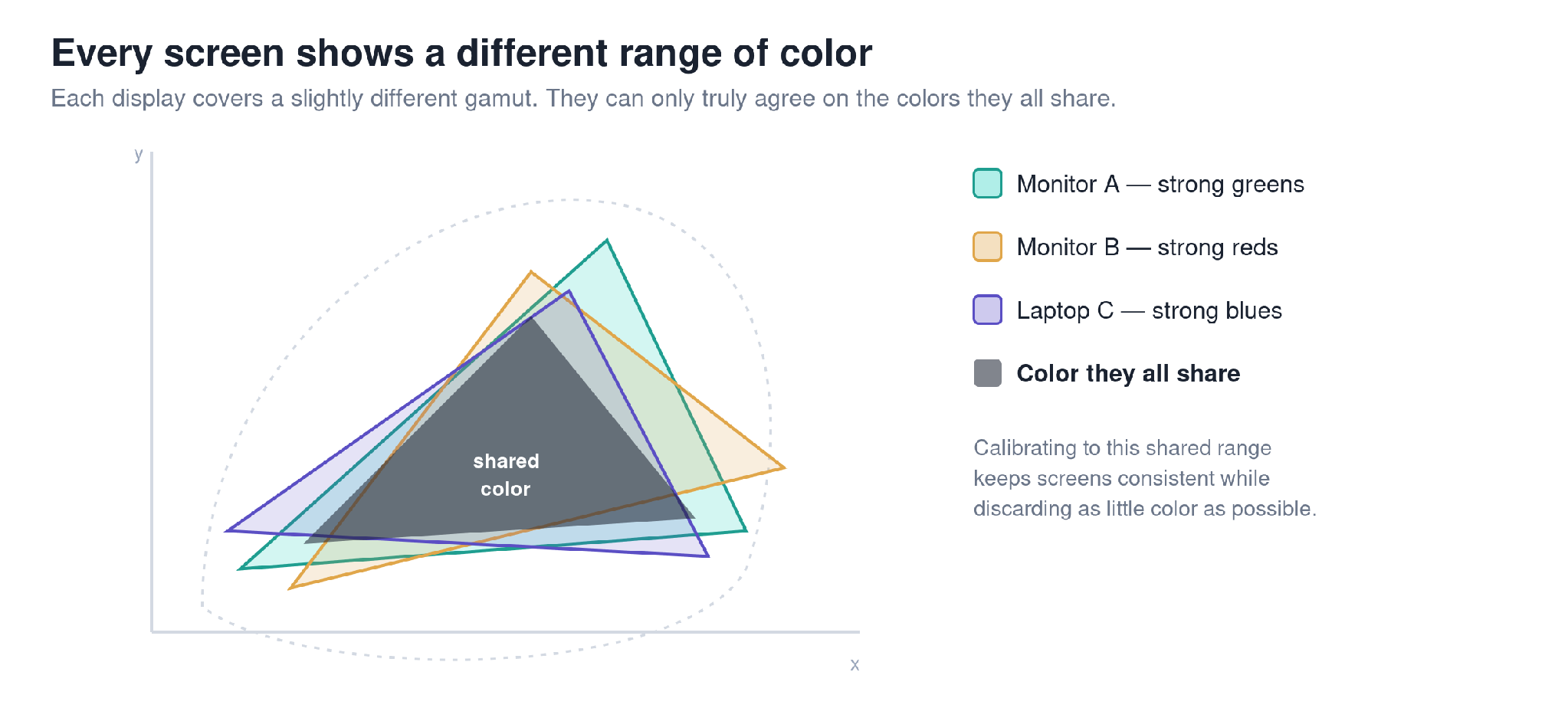
No two screens cover the same range of color — calibration is what brings them into agreement.
What calibration actually changes
Three things are set, and they are the points that matter most. The white point fixes what “white” means, so it reads as genuinely neutral rather than too blue or too warm. The luminance sets overall brightness to a sensible, consistent level. And the tone response, or gamma, governs how the steps from black to white are distributed, so shadows and highlights land where they should. Get those right and the grays track neutral and colors fall into place.
It is worth being honest about the limit. Calibration corrects how a display uses the color it has; it cannot give a screen color its hardware was never able to produce. No profile conjures a wider gamut out of an inexpensive panel. What it guarantees is accuracy and consistency within what your screen can genuinely do.
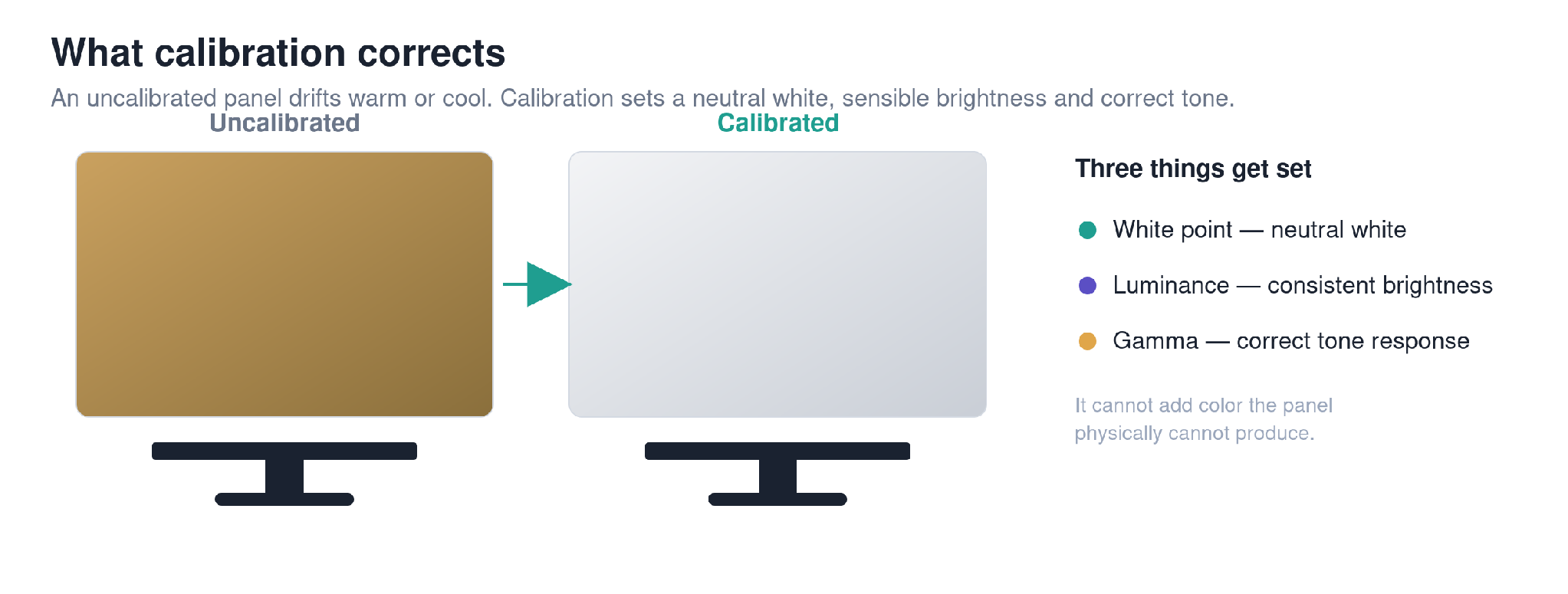
Calibration sets a neutral white, a sensible brightness, and a correct tone response.
The basic steps
In practice the process is short. You set the display to a reasonable starting state, then the software shows a sequence of color and gray patches while the sensor measures each one. From those readings it builds a corrected color profile — an ICC profile — which your system loads and applies automatically. Modern tools handle almost all of this for you, and the whole thing takes only a few minutes.
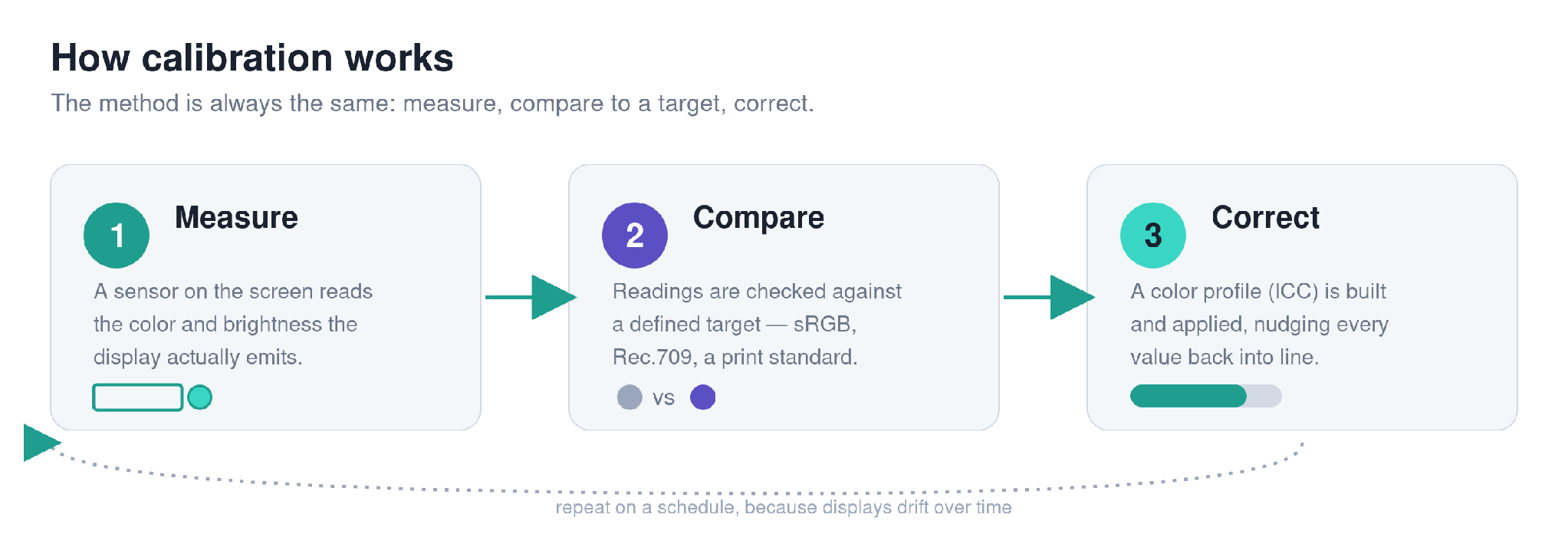
The calibration loop: measure the display, compare it to a target, correct the difference.
Is there one universal setting?
No, and that is the most common misunderstanding. A photographer preparing prints, a video editor working to Rec.709, and a designer checking web color all calibrate to different targets, because their work is judged in different conditions. What is universal is the method, not the numbers: measure what the screen is doing, compare it to a defined target, and correct the difference. The right target is the one that matches how your work will be seen.
The bottom line
Calibration does not make an ordinary screen extraordinary. It does something more useful: it makes any screen honest — showing you the same, correct color today that it showed last month, and close to what the next calibrated screen, or the print, will show. That reliability is the whole point, and it is what PerfectChroma is built to deliver and keep delivering automatically over time. If you are weighing your options, it helps to compare the calibration tools side by side.
The screen was never the hard part. Trusting it was.
QUBYX · PerfectChroma · www.qubyx.com
SEO & Publishing Brief
Internal reference — not part of the published article.
Primary keyword: color calibration / what is color calibration / monitor color calibration
Secondary keywords: purpose of calibration, what calibration does, calibration steps, ICC profile, white point, gamma
Title tag (≤60 chars): What Is Monitor Color Calibration? A Plain Guide
Meta description (≤155 chars): Color calibration measures how your display shows color and corrects it to a known target. Learn what it does, why screens drift, and how to trust your screen.
URL slug: /what-is-color-calibration/
Role: Foundational pillar — internal-link hub. The other 8 cluster articles should link back here.
Images: 3 original diagrams included (gamut overlap, before/after, calibration loop). PNGs in the /img folder; alt text below.
Word count: ~620 words
Image alt text
- gamut-overlap.png — “diagram showing three monitors covering different color gamuts with a shared overlap”
- before-after.png — “uncalibrated vs calibrated monitor showing white point, luminance and gamma correction”
- calibration-loop.png — “the calibration process: measure, compare to target, correct”
Internal links to add
- Comparison page (/comparison/) — “compare the calibration tools side by side” (live)
- Do You Need a Colorimeter? (planned article #3) — where the sensor is introduced
- How Often Should You Calibrate? (planned article #6) — on drift
- Smart calibration presets / Features page — where targets (Rec.709, sRGB, print) are discussed
Heading → target question map
- H1 “What Is Monitor Color Calibration?” → what is color calibration / simple meaning
- What calibration actually changes → what does calibration actually do / 5 points of calibration
- The basic steps → what are the steps of calibration
- Is there one universal setting? → is there a universal calibration method
- The bottom line → what is the purpose of calibration
FAQ schema (JSON-LD to embed)
{
“@context”: “https://schema.org”,
“@type”: “FAQPage”,
“mainEntity”: [
{
“@type”: “Question”,
“name”: “What is the purpose of color calibration?”,
“acceptedAnswer”: {
“@type”: “Answer”,
“text”: “The purpose of color calibration is to make a display show accurate, consistent color by measuring its output and correcting it to a known target, so what you see on screen matches a reference and other calibrated screens.”
}
},
{
“@type”: “Question”,
“name”: “What does calibration actually do?”,
“acceptedAnswer”: {
“@type”: “Answer”,
“text”: “Calibration sets a display’s white point, luminance and gamma so grays stay neutral and colors land correctly. It corrects how the screen uses the color it has, but cannot add color the hardware cannot physically produce.”
}
},
{
“@type”: “Question”,
“name”: “Is there a universal color calibration method?”,
“acceptedAnswer”: {
“@type”: “Answer”,
“text”: “There is no single universal setting; photographers, video editors and web designers calibrate to different targets. What is universal is the method: measure the display, compare it to a defined target, and correct the difference.”
}
}
]
}
Writes about display calibration and the workflows that depend on accurate color. Part of the QUBYX team since 2018.
